
If you’re building a new PC or looking for a monitor upgrade that delivers pure performance without forcing you to remortgage your house, stop scrolling right now. I’ve spent weeks testing panels, obsessing over milliseconds, and crunching specs.
Why 24-inch 1080p is Still the King
Let’s talk pure logic. When you’re running a budget to mid-range graphics card, the biggest bottleneck to hitting high frame rates isn’t usually your CPU—it’s the resolution you’re asking your GPU to render.
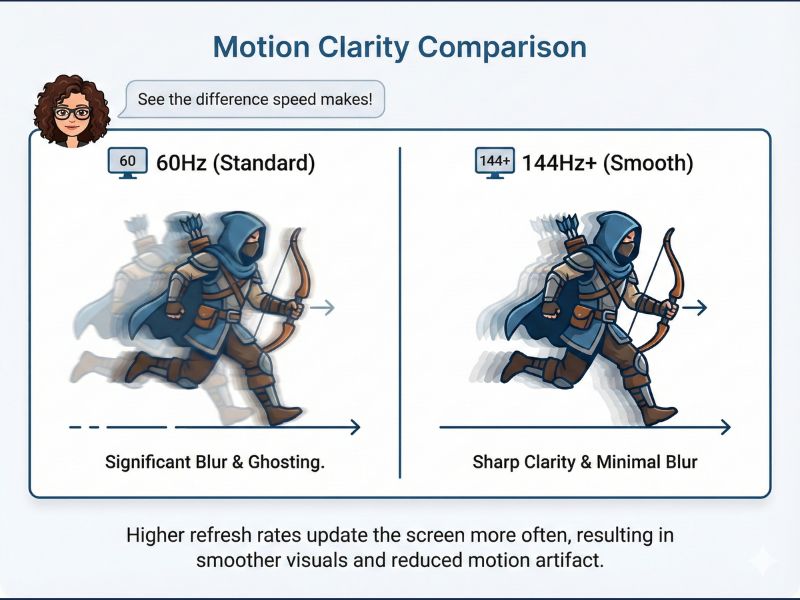
The visual difference between 60Hz and 144Hz is a game-changer for motion clarity and responsiveness.
The Efficiency Trifecta
- Pixel Density: At 24 inches, 1080p provides a perfectly crisp image without the ‘screen door’ effect.
- High Frame Rates: Hitting 144+ FPS is achievable on modest hardware, crucial for titles like Valorant.
- Lower Cost: Mature manufacturing means premium specs for a fraction of the cost.
Key Specs to Prioritize (The Big 3)
Don’t get bogged down in marketing fluff. These are the three specs that actually matter for budget gaming.

Understanding your panel type is crucial for balancing color, contrast, and speed on a budget monitor.
My Top 3 Budget Picks for 2025
🥇 Top Pick: The AOC 24G15N Rival (The All-Rounder)
Panel: Fast IPS | Verdict: The monitor for the gamer who wants both competitive speed and rich, vibrant colors. It rarely ghosts and has a clean, borderless design.
🥈 Best Value: Koorui 24E3 (The Pure Budget King)
Panel: VA | Verdict: If you play cinematic or darker games on a tight budget, the high contrast here is a massive plus. Phenomenal blacks for the price.
🥉 The Esports Specialist: BenQ Zowie XL2411K
Panel: TN | Verdict: For the Counter-Strike player who prioritizes zero-latency, blur-free motion above all else. Colors are weaker, but the speed is unmatched.
Pro Tip: Optimizing Your Settings
Getting a 144Hz monitor is only half the battle. You have to make sure your PC is actually outputting at 144Hz.
To truly maximize your new monitor, check out our guide on The Best Budget Graphics Cards for 1080p Gaming.
FAQs: Quick Answers
Is 144Hz worth it over 60Hz?
Absolutely. The visual difference is often described as “night and day,” providing a smoother experience that can genuinely improve reaction times in fast-paced games.
What is the difference between 1ms GTG and 1ms MPRT?
GTG (Gray-to-Gray) measures pixel color switching speed, while MPRT (Moving Picture Response Time) measures perceived motion blur. For gaming, low MPRT is often better for clarity.
Should I get an IPS or a VA panel on a budget?
IPS is usually the safer bet for 2025. Modern budget IPS panels offer near-perfect response times and superior color accuracy without the “black smearing” often found on cheap VA panels.

