
Table of Contents
Why 1440p/144Hz is the Budget Gamer’s Sweet Spot

The Goldilocks zone of modern gaming. It just works.
We’ve officially passed the point where 1080p is the standard for new PC builds. Here’s why 1440p at 144Hz is the perfect upgrade, especially on a budget:
- Crisp Detail: 1440p (2560×1440) gives you 78% more pixels than 1080p. That means cleaner edges, more screen real estate, and games that genuinely look sharper.
- Competitive Speed: 144Hz delivers 144 frames per second—a massive jump from the standard 60Hz. This drastically reduces motion blur and improves your reaction time in fast-paced games.
- The GPU Factor: A quality budget GPU (like a contemporary RTX 4060 or RX 7600) can comfortably push most modern titles to 1440p at high frame rates.
If you’re still confused by all the panel types and acronyms, you need to read my deep dive: Check your GPU VRAM: Are you Ready for 1440p? It’s a crucial step before upgrading your monitor.
My Top Budget Pick: ASUS TUF Gaming VG27AQ3A
After testing and comparing current models, the one that consistently delivers on the promise of 1440p quality for under $300 is the ASUS TUF Gaming VG27AQ3A. This monitor doesn’t just meet the budget standard; it exceeds it by offering a 180Hz refresh rate, giving you e-sports level smoothness on a budget.
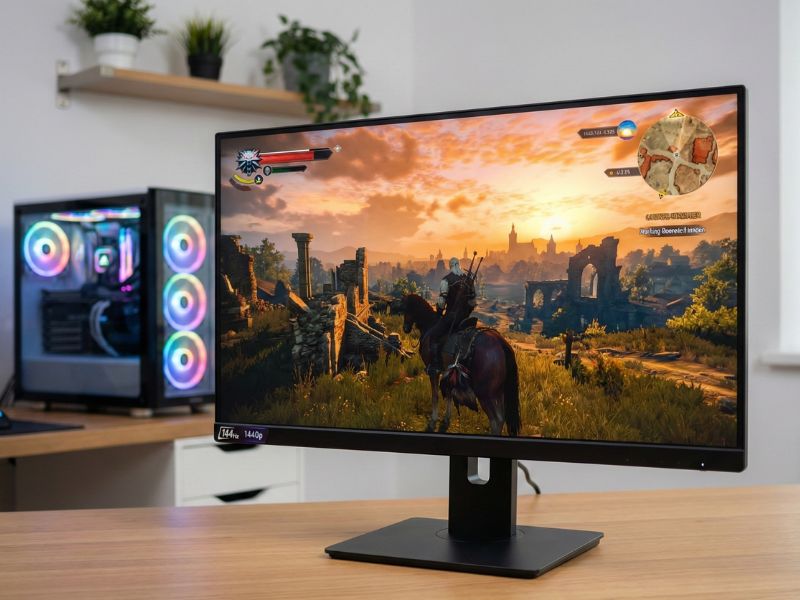
Fast, fluid, and sharp: the 180Hz refresh rate is a massive win at this price.
Quick Specs Comparison
| Specification | ASUS TUF Gaming VG27AQ3A |
|---|---|
| Screen Size | 27-inch (Ideal for 1440p) |
| Panel Type | Fast IPS Technology |
| Resolution | 2560 x 1440 (QHD) |
| Refresh Rate | 180Hz (Native) |
| Response Time | 1ms (GtG) |
| Adaptive Sync | G-SYNC Compatible / FreeSync Premium |
What You Get for Under $300
The performance per dollar on this monitor is insane. Key features that truly elevate your game:
- Native 180Hz Speed: Most budget monitors cap out at 144Hz or 165Hz. ASUS pushes this panel to 180Hz out of the box, offering visibly smoother motion clarity.
- Accurate Colors: It covers 130% of the sRGB gamut. While oversaturated for professional print work, this makes games look punchy, vibrant, and incredibly immersive.
- ELMB Sync: This is a rare feature that allows you to use motion blur reduction (backlight strobing) at the same time as G-Sync/FreeSync. Usually, you have to pick one or the other.
The Crucial Trade-offs You Must Accept
A sub-$300 monitor isn’t perfect, and transparency is key. You’re trading features for fundamental performance:
- The Stand (The Biggest Con): To keep costs low, ASUS used a basic stand. It has NO height adjustment—only tilt and swivel. You will almost certainly need to buy a VESA mount or use a monitor riser.
- Low Brightness: It peaks around 250 nits. This is perfectly fine for a standard bedroom or office, but if you game in a sun-drenched room, it might feel a bit dim.
- “Fake” HDR: It supports HDR10 input, but with only 250 nits and no local dimming, the HDR performance is practically non-existent. Stick to SDR mode for the best experience.
If you can look past the stand and weak HDR, you have a winner. Plus, maximizing your frames is easy when you understand the tech. Check out my guide on hardware pairing: Pairing this Monitor with a Budget GPU.

My final verdict: The best value in budget 1440p gaming right now.
FAQs: Quick Answers
Is 144Hz worth it over 60Hz?
Absolutely. The visual difference is often described as “night and day,” providing a smoother experience that can genuinely improve reaction times in fast-paced games.
What is the difference between 1ms GTG and 1ms MPRT?
GTG (Gray-to-Gray) measures pixel color switching speed, while MPRT (Moving Picture Response Time) measures perceived motion blur. For gaming, low MPRT is often better for clarity.
Should I get an IPS or a VA panel on a budget?
IPS is usually the safer bet for 2025. Modern budget IPS panels offer near-perfect response times and superior color accuracy without the “black smearing” often found on cheap VA panels.
Does the ASUS VG27AQ3A work with PS5 or Xbox Series X?
Yes, it works great! It can accept a 1440p signal at 120Hz from both consoles. However, since it uses HDMI 2.0 (not 2.1), it cannot do 4K 120Hz, but for a 1440p monitor, that is perfectly fine.

