Do you want to know how to fix the error code Centipede in Destiny 2? Many players have struggled with the Error Code Centipede in Destiny 2 for the past few weeks. When starting the game, the Centipede Error code is seen on the screen; sometimes, when loading the animations of the game, hit this Centipede Error Code and get returned to the title screen; these are some of the complaints raised by the players. If you are a player who wants to play Destiny 2 without any disturbance from Centipede Error Code, This guide will show you how to fix the error code Centipede in Destiny 2.
How To Fix The Error Code Centipede In Destiny 2?
To Fix Error Code Centipede, players can set up a Wi-Fi hotspot from pc or laptop using Hotspot Shield and Connectify. Furthermore, players can follow the below steps to resolve the Centipede Error Code in Destiny 2.
- Download, install, and run Hotspot Shield.
- Download, install, and run Connectify (there might appear an error message about turning off the internet connection, but ignore it).
- Have both programs running. Hotspot needs to mention as “protected,” and Connectify should have the option to select “Internet to share.”
- Pick the option “anchor free hss vpn adapter” to connect you to Hotspot.
- Then go to your console and either type in or select the “Connectify-me” option and enter the password given on Connectify.
- This should connect you to the Hotspot, and your Xbox/PS4 should appear under clients. The connection may be spotty (you must ensure your PC/laptop doesn’t sleep). Anyway, you can restart the Hotspot if the connection drops.
If the players face the same issue even after following the above steps, they can visit the official guide by Bungie for more Details. Moreover, the official directory has published below two basic recommendations to avoid this issue.
- Switch to a wired connection instead of using a Wi-Fi connection.
- Get your NAT (Network Address Translation) into an Open or Type 1 state instead of having Type 3.
- Restart the device and log in to the Destiny 2 page again.
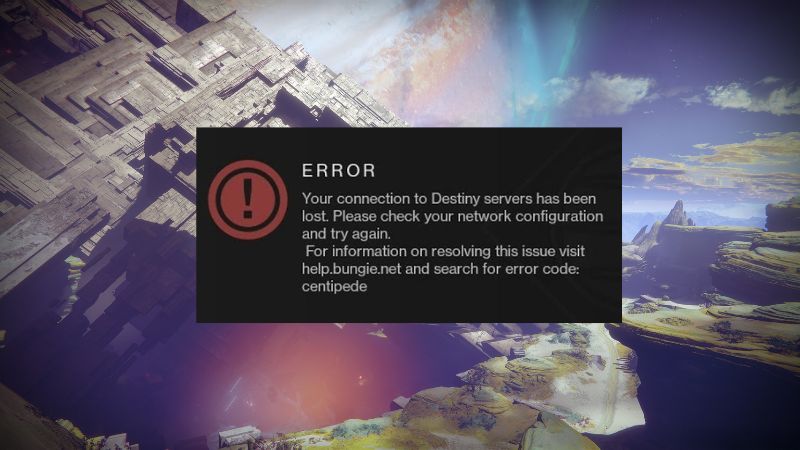
Image via Bungi
Related:
Are There Giant Screebs in Destiny 2?
What Are The Reasons For Error Code Centipede in Destiny 2?
According to Bungi’s official guide, Centipede is a general networking error code in Destiny 2. Below are some reasons that cause the Error.
- Network Problems: There might be some issues with your Internet connections.
- Maintenance and updates: There is a chance of errors in the Destiny 2 site when the site is running some background updates or under construction.
- Server issues: There might have some technical issues in the Destiny 2 Servers.
- Hardware Issue: Rarely this might happen when there is an issue with your hardware.
You can find Destiny 2 on PC, PS4/PS5, and Xbox.
Sources: Bytes Media, Reddit, Bungi Help

