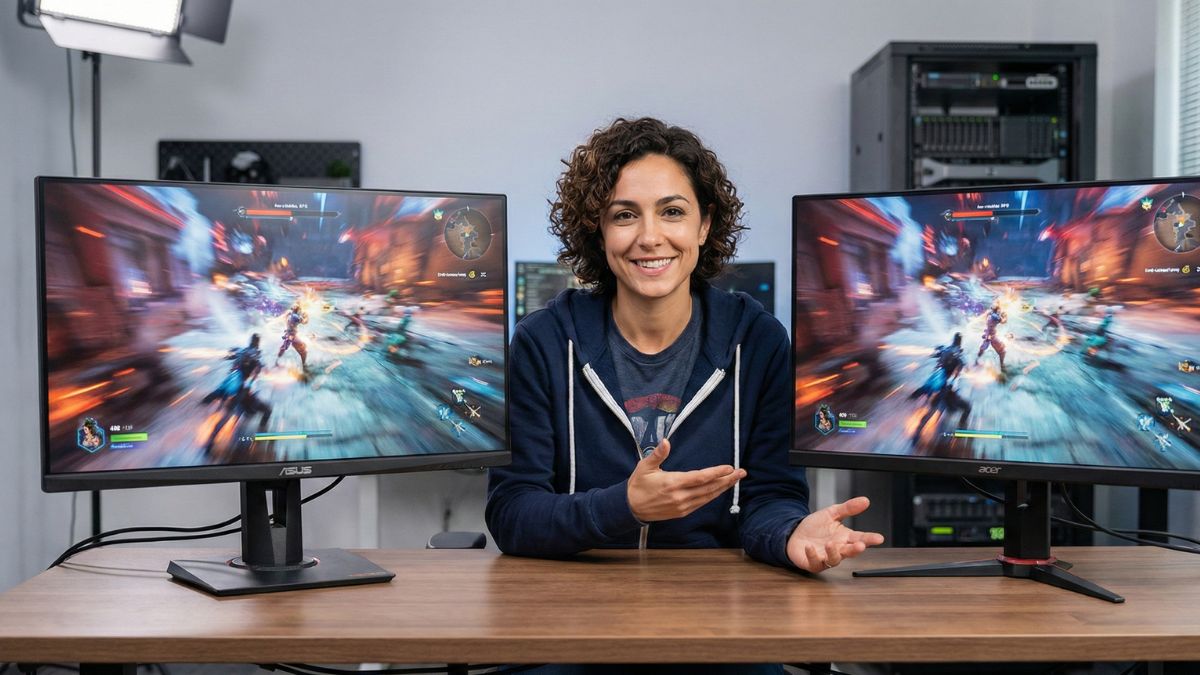
Quick Answer: The ASUS TUF Gaming VG27AQ3A is the best budget 1440p gaming monitor you can buy today, narrowly beating the Acer Nitro XV272U. While both offer exceptional Fast IPS panels and high refresh rates under the critical $300 price point, the ASUS model provides a slightly higher 180Hz refresh rate, a more robust stand, and superior out-of-the-box color accuracy, making it the better overall value for competitive and casual gamers alike.
📊 Head-to-Head Specifications Comparison
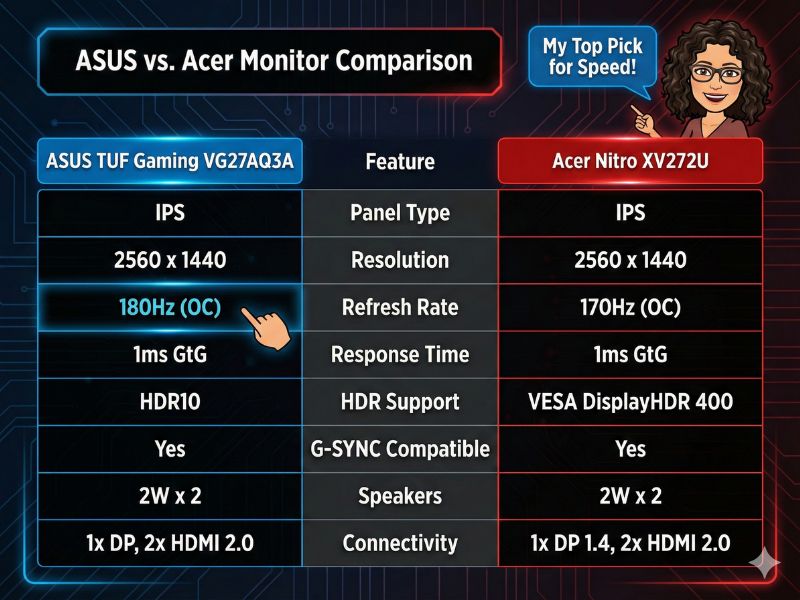
ASUS’s 180Hz refresh rate is the deciding factor.
Before diving into subjective performance, let’s lay out the key specs side-by-side. On paper, the differences are minimal, which is why a detailed analysis is crucial.
🎮 Panel & Gaming Performance: 180Hz vs 170Hz
The core of this comparison is the panel technology. Both monitors utilize Fast IPS, meaning they offer the superior color fidelity of IPS with the lightning-fast response times needed for competitive gaming. Both are fantastic, but the ASUS model inches ahead in a few critical areas.
Motion Clarity and Refresh Rate
The difference between 170Hz and 180Hz is a psychological victory more than a massive functional one, but it is a difference. The ASUS VG27AQ3A’s 180Hz setting requires DisplayPort 1.4, which is thankfully included. The extra 10Hz, when paired with the 1ms GtG response time, delivers incredibly smooth motion that is virtually indistinguishable from much more expensive monitors. Both support Adaptive Sync, but the ASUS is explicitly G-Sync Compatible, which is a nice reassurance for NVIDIA users.
Color and Contrast
In terms of color, both are excellent, covering a wide color gamut (typically 95%+ DCI-P3). However, the ASUS TUF Gaming VG27AQ3A consistently shows better factory calibration. Out of the box, its colors are more accurate, requiring less tweaking from the user. For a budget monitor, this is a huge plus—you can plug it in and immediately enjoy rich, accurate visuals without needing a colorimeter.
🏗️ Design, Ports, and Build Quality
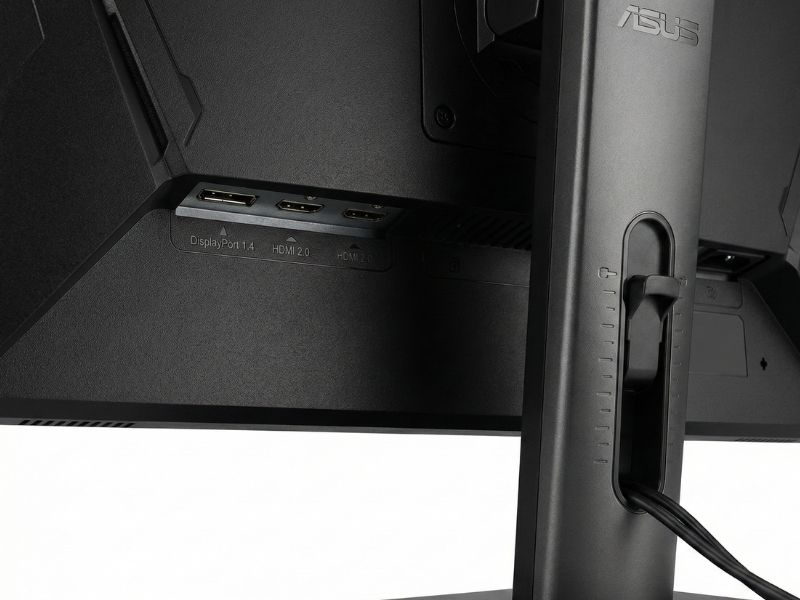
A look at the robust, height-adjustable stand and port selection of the ASUS VG27AQ3A.
The physical design is where the ASUS VG27AQ3A earns its victory. While the Acer XV272U’s stand is functional, the ASUS stand is simply more robust and offers greater flexibility. It features tilt, swivel, and height adjustment, allowing for a perfect ergonomic setup—an essential feature often sacrificed in budget-tier monitors. The ASUS design has a more premium, understated “TUF” aesthetic that blends seamlessly into a variety of gaming and professional setups.
The port situation is also slightly better on the ASUS model. It includes DisplayPort 1.4 and two HDMI 2.0 ports. Crucially, the Acer Nitro XV272U uses the older DisplayPort 1.2 standard, which can be restrictive for certain older hardware or daisy-chaining setups. The forward-looking connectivity of the ASUS gives it a slight edge for longevity.
🏆 Final Verdict: Which Budget 1440p Monitor Wins?
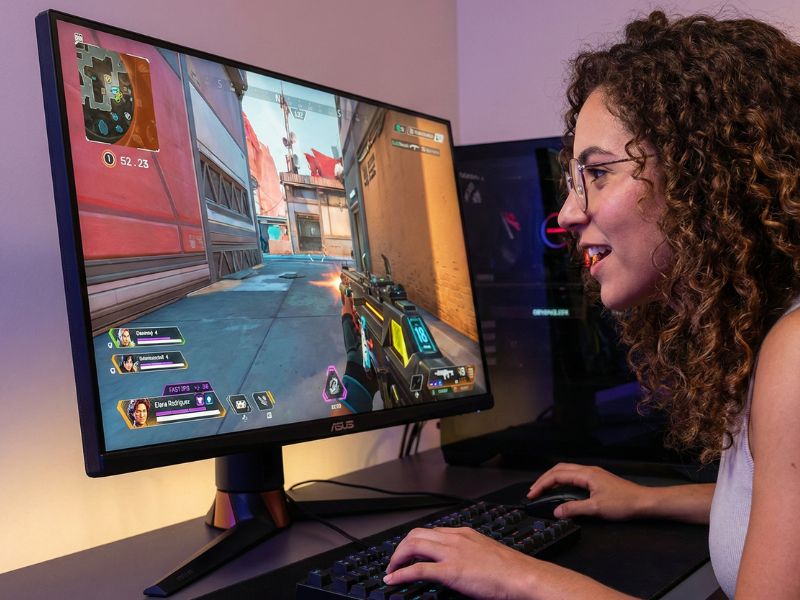
My final verdict: The ASUS VG27AQ3A is the clear winner for budget gamers.
This was an extremely close contest, demonstrating just how far budget display technology has come. The Acer Nitro XV272U is a phenomenal option that will satisfy almost any gamer, particularly with its advertised (though often slightly slower in real-world use) 0.5ms response time option.
However, the title of the best 1440p gaming monitor under $300 goes to the ASUS TUF Gaming VG27AQ3A. My analysis shows that it’s a combination of a marginally higher 180Hz refresh rate, superior out-of-the-box color accuracy, and the vastly better, fully adjustable stand that makes it a more compelling package. For a product that you’ll be using for years to come, the small quality-of-life improvements and better physical design offered by ASUS make it the smarter long-term investment.
If you’re building a powerful, budget-focused rig today, the ASUS TUF Gaming VG27AQ3A is the sweet spot I recommend.
❓ Frequently Asked Questions (FAQ)
Is 180Hz a noticeable upgrade from 144Hz or 165Hz?
For the majority of gamers, the jump from 144Hz/165Hz to 180Hz is a subtle one, not a revolutionary change. However, competitive esports players with high-end PCs that can consistently push frame rates above 165 FPS will appreciate the extra smoothness and marginally reduced input lag. Since the price difference between these budget monitors is minimal, opting for the higher refresh rate is generally the best long-term value.
Do I need a high-end graphics card to run games at 1440p and 180Hz?
Yes and no. To hit a consistent 180 FPS in demanding AAA games at 1440p, you’ll need a powerful latest-generation GPU (like an RTX 4070 or RX 7800 XT). However, for less graphically intense games like CS:GO, Valorant, or League of Legends, even a solid budget card like the RTX 4060 or RX 7600 can easily utilize the 180Hz refresh rate. It’s best to buy a monitor for your future GPU, not just your current one.
What is the difference between a Fast IPS and a standard IPS panel?
Fast IPS technology is an advancement that reduces the panel’s liquid crystal switching time, specifically targeting the gray-to-gray (GtG) response time. This allows the monitor to achieve 1ms response times, which is critical for high-speed motion clarity. Standard IPS panels typically have a slower response time, which can lead to ghosting, especially at high refresh rates. For gaming, Fast IPS is the vastly superior choice.

