Are you ready to harness the raw power of NVIDIA’s flagship GPU? The RTX 4090 is a beast, boasting a mind-blowing 24GB of GDDR6X memory, 16,384 CUDA cores, and 512 tensor cores! But before you dive into 4K gaming or even 8K gaming with the RTX 4090, let’s ensure your system meets the NVIDIA RTX 4090 system compatibility requirements. This comprehensive guide covers everything from RTX 4090 power supply requirements to RTX 4090 cooling solutions, helping you unleash the ultimate gaming and content creation experience.
Power Supply Requirements and Efficiency
 When it comes to RTX 4090 power supply requirements, you can’t afford to cut corners! This GPU is a power-hungry monster with a significant RTX 4090 power limit. Let’s break down what you need to know:
| PSU Wattage | Recommendation | Notes on RTX 4090 Power Efficiency |
|---|---|---|
| 850W | Minimum (not recommended) | Barely meets requirements, no overclocking headroom |
| 1000W | Recommended | Good balance of power and efficiency |
| 1200W | Ideal for overclocking | Best for pushing RTX 4090 performance limits |
Recommended PSU Brands and Models
| Brand | Model | Wattage | Efficiency Rating | RTX 4090 PSU Cable Requirements |
|---|---|---|---|---|
| Seasonic | Prime TX-1000 | 1000W | 80+ Titanium | Includes 12VHPWR adapter |
| Corsair | HX1200i | 1200W | 80+ Platinum | Native 12VHPWR support |
| EVGA | SuperNOVA 1000 G6 | 1000W | 80+ Gold | Includes 12VHPWR adapter |
| be quiet! | Dark Power Pro 12 | 1200W | 80+ Titanium | Native 12VHPWR support |
Motherboard Compatibility and PCIe Considerations
 RTX 4090 motherboard compatibility is crucial for unleashing its full potential. Here’s what you need to know about PCIe generations and physical considerations:
PCIe Generation Compatibility
| PCIe Generation | Compatibility | Performance | RTX 4090 PCIe Lanes Utilization |
|---|---|---|---|
| PCIe 3.0 | Compatible | Suboptimal | May bottleneck in some scenarios |
| PCIe 4.0 | Ideal | Full performance | Utilizes full x16 bandwidth |
| PCIe 5.0 | Compatible | Future-proof | Ready for next-gen GPUs |
When considering RTX 4090 PCIe 4.0 vs 5.0 performance, remember that the current model doesn’t fully saturate PCIe 4.0 bandwidth, so PCIe 5.0 is more about future-proofing.
Physical Considerations and GPU Sag
- Slot spacing: Ensure adequate room for this triple-slot behemoth.
- M.2 SSD placement: Some M.2 slots might be covered by the GPU.
- RAM clearance: High-profile RAM might interfere with the card.
- GPU sag: The RTX 4090’s weight can cause sag, consider a support bracket.
CPU Pairing for Optimal Performance
To avoid an RTX 4090 bottleneck, you need a CPU that can keep up. Let’s look at the best CPU for RTX 4090 builds:
Recommended CPUs (as of 2024)
| Brand | Model | Cores/Threads | Base Clock | Boost Clock | Notes |
|---|---|---|---|---|---|
| Intel | i9-14900K | 24/32 | 3.2 GHz | 6.0 GHz | Ideal for 4K and 8K gaming |
| Intel | i7-14700K | 20/28 | 3.4 GHz | 5.6 GHz | Great price-to-performance ratio |
| AMD | Ryzen 9 7950X3D | 16/32 | 4.2 GHz | 5.7 GHz | Excellent for gaming and productivity |
| AMD | Ryzen 7 7800X3D | 8/16 | 4.2 GHz | 5.0 GHz | Gaming powerhouse |
For a detailed RTX 4090 bottleneck analysis, consider factors like resolution, refresh rate, and specific game requirements.
Cooling Solutions and Thermal Management
 RTX 4090 thermal management is crucial for maintaining peak performance. Let’s explore RTX 4090 cooling solutions:
Cooling Options Comparison
| Cooling Type | Pros | Cons | Example Models |
|---|---|---|---|
| Air Cooling |
|
|
|
| Liquid Cooling |
|
|
|
| Hybrid Cooling |
|
|
For enthusiasts, RTX 4090 custom water cooling can provide the ultimate in thermal performance and overclocking potential.
Related:
RTX 4090: Water Cooling vs. Air Cooling Showdown (2024)
Case Considerations for RTX 4090
| Aspect | Requirement | Notes |
|---|---|---|
| Length | 320-330mm | Check case specs before purchasing |
| Width | 3-4 slots | May require a larger case |
| Airflow | High | Mesh fronts and multiple fan mounts recommended |
Display Compatibility and Features
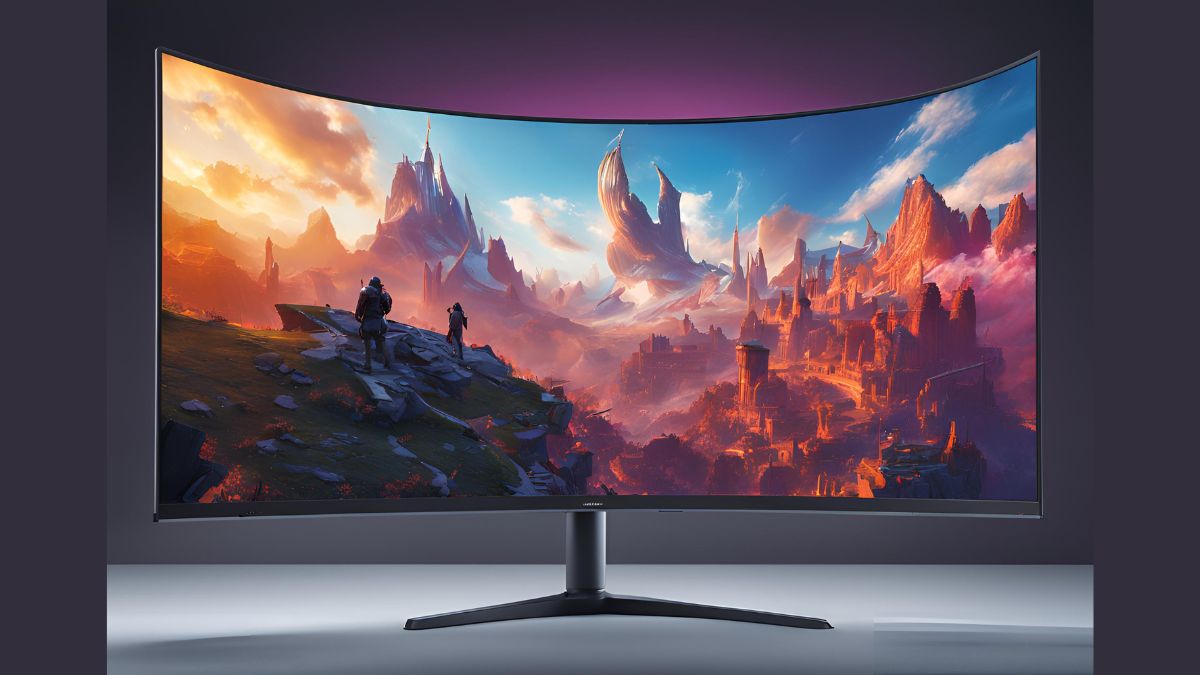 The RTX 4090 is a visual powerhouse, capable of driving high-resolution, high-refresh-rate displays.
Resolution and Refresh Rate Capabilities
| Resolution | Max Refresh Rate | Performance Notes |
|---|---|---|
| 1080p | 360Hz+ | Overkill, but great for esports |
| 1440p | 240Hz | Excellent for high FPS gaming |
| 4K | 144Hz | Where the RTX 4090 truly shines |
| 8K | 60Hz | Playable, showcases RTX 4090 max resolution |
The RTX 4090 supports DisplayPort 1.4a and HDMI 2.1, enabling features like HDR, high refresh rates, and variable refresh rate (VRR) support.
HDR and Adaptive Sync
- HDR: Supports HDR10 and Dolby Vision for vibrant, lifelike colors.
- G-Sync: NVIDIA’s adaptive sync for tear-free gaming.
- RTX 4090 VRR support: Compatible with HDMI 2.1 VRR for smooth gameplay on TVs.
Software, Drivers, and Performance Features
Optimize your RTX 4090 with the latest software and drivers:
Driver and OS Recommendations
| User Type | Recommended Driver | OS Optimization |
|---|---|---|
| Gamers | Game Ready Drivers | Windows 11 RTX 4090 optimization recommended |
| Content Creators | Studio Drivers | Windows 11 for best DirectX 12 Ultimate support |
RTX 4090 Performance Features
| Feature | Benefit | Performance Impact |
|---|---|---|
| DLSS 3.0 | AI-enhanced upscaling and frame generation | Significant FPS boost |
| Ray Tracing | Realistic lighting and reflections | Moderate FPS impact, enhanced by DLSS |
| NVIDIA Reflex | Lower input lag | Minimal performance cost |
| NVIDIA Broadcast | AI-enhanced streaming features | Utilizes tensor cores for minimal impact |
The RTX 4090 excels in DirectX 12 Ultimate and OpenGL performance, making it ideal for both gaming and professional applications.
Overclocking and Power Management
 For enthusiasts looking to push the limits:
- Overclocking RTX 4090: Can yield significant performance gains, but requires adequate cooling.
- RTX 4090 undervolting guide: Can improve efficiency without sacrificing performance.
- RTX 4090 benchmark scores: Often top the charts in 3DMark and other benchmarking tools.
Productivity and Content Creation
 The RTX 4090 isn’t just for gaming:
- RTX 4090 productivity applications: Excels in 3D rendering, video editing, and AI workloads.
- RTX 4090 content creation performance: Significantly faster than previous generations in tasks like video encoding and 3D modeling.
- RTX 4090 CUDA cores and tensor cores: Provide massive parallel processing power for creative workloads.
Comparison and Future-Proofing
When considering an RTX 4090 vs RTX 3090 comparison:
- The 4090 offers roughly 50-70% better performance in most scenarios.
- Improved ray tracing and DLSS capabilities in the 4090.
- Better power efficiency despite higher maximum power draw.
While 4090 SLI support is not available, the single-card performance is so high that multi-GPU setups are rarely necessary.
Conclusion
Congratulations! You’re now equipped with comprehensive knowledge about RTX 4090 compatibility, from power requirements to cooling solutions, and from software optimization to content creation capabilities. This powerhouse GPU demands the best from every component in your rig but rewards you with unparalleled performance in gaming, VR, and professional applications.
Whether you’re diving into 4K gaming, pushing the boundaries of 8K resolution, or leveraging the RTX 4090’s CUDA cores for intensive productivity tasks, you’re ready to unleash its full potential. Remember to keep your system cool, your drivers updated, and your games optimized with DLSS 3.0 and ray tracing for the ultimate visual experience.
Ready to take the plunge? Double-check your compatibility, make any necessary upgrades, and prepare for an unparalleled computing experience. The future of graphics is here – are you ready to embrace it? Your journey with the RTX 4090 is just beginning, and trust me, it’s going to be one heck of a ride!

