
Do you want to know how to change FOV in Starfield? Starfield is an upcoming action role-playing game released on September 6. This game was developed and published by Bethesda Game Studios. Starfield game has been created according to a space theme. Despite being in development for a lengthy period, the game still needs certain fundamental features. A prime example is the absence of the option to adjust the Field of View (FOV), which regulates the amount of the game visible at any given moment. So, let’s talk about how to change FOV in Starfield.
How To Change FOV In Starfield
No specific option is available to adjust Starfield‘s field of view (FOV). However, you can use a few methods to change the FOV. For instance, you can switch between the first-person view (FPV) and third-person view (TPV) and use your mouse to modify the FOV on the go. To do this, open Starfield and go to the main gameplay screen to choose FPV or TPV. Then, scroll up or down with the mouse wheel to quickly adjust the FOV in Starfield according to your preference.
For Xbox console users or those using a controller, pressing the “View” button lets you easily switch the FOV in Starfield. If you want more control over the FOV, modders have devised a workaround that involves creating a text file, but this method only works on Windows PCs, not Xbox consoles.
- Firstly, locate the Starfield game folder, which may vary depending on where you purchased it (Steam or Xbox Store).
- Once you have found it, create a new text file named “StarfieldCustom.ini” and use the “.ini” format.
- Then, copy and paste the following text into the file and save it to set a custom FOV in the game.
[Camera]
fFPWorldFOV=100.0000
fTPWorldFOV=100.0000
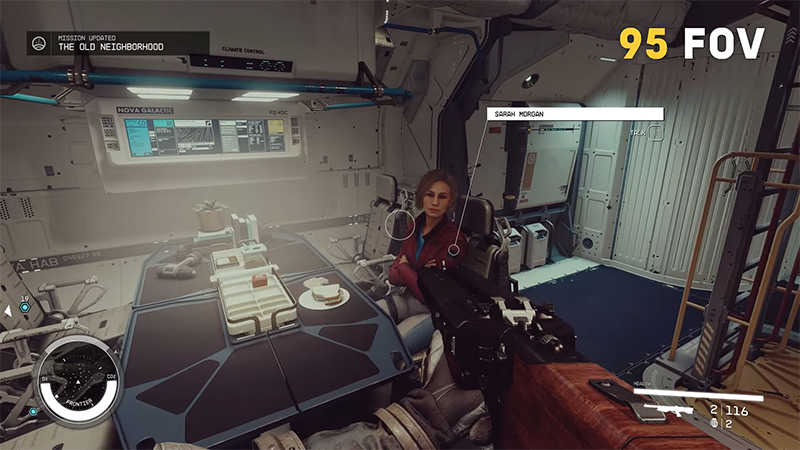
Image Source: Bethesda via Ninja Pups screenshot
Related:
How To Play Starfield Early
To adjust your first-person (FP) and third-person (TP) field of view (FOV), set them both to 100 degrees. If you prefer a different FOV, tweak these settings or delete the file to revert to the default FOV. Another option is downloading a Starfield mod from NexusMods and copying it into your game directory.
Below, you can watch the Starfield Official Gameplay Trailer by Bethesda Softworks.

