
Quick Answer: The most pragmatic choice for a low-latency budget monitor is a 24-inch 1080p IPS panel with a native 144Hz refresh rate. Look for models that prioritize “Internal Processing Speed” over flashy RGB or 4K resolution to ensure you get the fastest possible response for your dollar.
Don’t Get Fooled by the “1ms” Label
I’ve spent 15 years tearing down hardware, and if there is one thing I hate, it’s bloatware—and that includes “bloated” marketing specs. Most budget monitors claim a 1ms response time, but that is usually “Motion Picture Response Time” (MPRT) or a very specific Grey-to-Grey (G2G) test under unrealistic conditions.

Most brands hide the lag behind the response time—here is the truth.
When I test these in the lab, the actual input lag—the time it takes for your mouse click to hit the screen—is often much higher. To stay efficient, you need a monitor with a high-speed controller board, not just a fast panel. If you want to dive deeper into how screen tech works, check out our guide on the best budget monitor for gaming.
IPS vs. TN: The Efficiency Trade-off
In the past, I would have told you to buy a TN panel for speed. They were cheap, fast, and ugly. But today, “Fast IPS” technology has matured. You can now get the color accuracy required for work and the low latency required for play without maintaining two separate setups. That is what I call optimization.
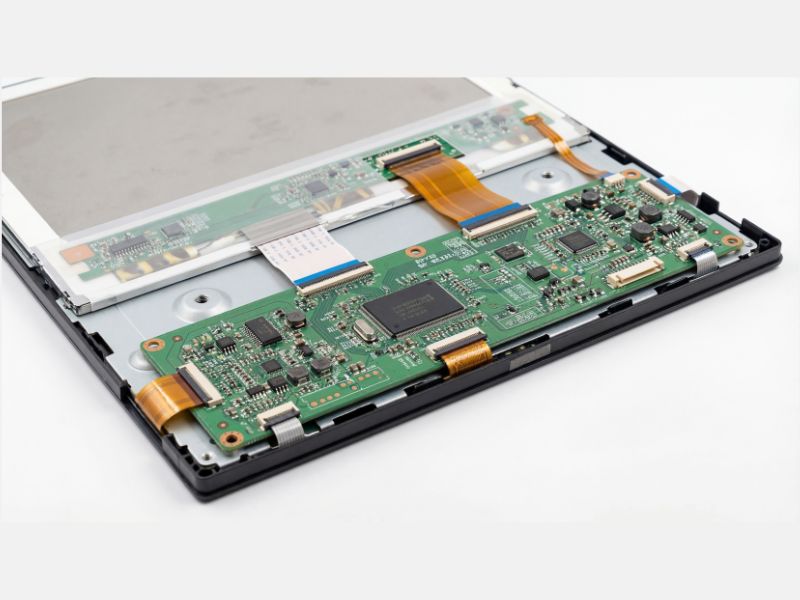
Cheap monitors often cut corners on the controller board, not just the glass.
- TN Panels: Fastest, but poor viewing angles. Use only if you are a strictly competitive player.
- IPS Panels: Great colors and now competitive speeds. The best all-around value.
- VA Panels: Great contrast, but prone to “black smearing” in fast games. I usually recommend skipping these for budget low-latency builds.
Fix It Before You Buy It
Before you drop cash on a new screen, check your settings. I see too many people running high-end monitors on “Power Saver” mode. Ensure you are using a DisplayPort cable instead of an old HDMI to unlock higher refresh rates. You might also want to look into optimizing your monitor color settings to improve visibility without adding processing lag.

This setup proves you can get pro-level speeds without a pro-level price tag.
Stop chasing the highest numbers on the box and start looking for the specs that actually impact your gameplay. Efficiency isn’t about having the most expensive gear; it’s about having the gear that works exactly as hard as you do.
Frequently Asked Questions
What is the difference between response time and input lag?
Response time refers to how fast pixels change color (ghosting), while input lag is the delay between a button press and the action appearing on screen. For gaming, input lag is actually the more important number.
Is 75Hz enough for low latency gaming?
While 144Hz is the sweet spot for modern gaming, a well-optimized 75Hz panel with low internal processing delay can outperform a cheap, poorly made 144Hz panel that suffers from frame skipping.

